Some stores like to check there P/O's before printing. In this case, click on Inventory: Purchase Orders; Edit P/O's. Make any changes and return here for printing.
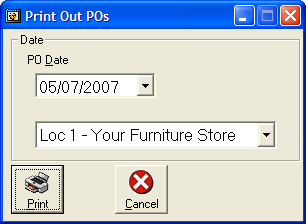
Purchase Orders are the only thing that Custom Design Software Batches. To print all POs that have not yet been printed, click Inventory: Purchase Orders: Quick Print POs. A "Print Out POs" form will appear. Enter the date you wish to appear on the POs, and click Print. The unprinted PO's will begin.